
Managed IT services for healthcare practices in Toronto, Markham and Richmond Hill
We run the accounts, computers, network and phones for clinics with one site or many, on site across the GTA and remotely across Canada.
Get a quote
We reply within one business day.
IT support built for clinics and multi-site practices
What we run for you
We manage Microsoft 365 accounts, laptops, the network and Zoom Phone at each site, and we keep one set of written procedures for every location.
What we do not need to see
Clinic systems hold personal health information, so we set everything up on that assumption. We do not need to see patient records to manage your systems, and your privacy officer still owns your policies.
What we manage
Six services, one team, the same written steps at every site.
Help desk and user support
Help by email, and written steps for staff joining and leaving.
On-site support
On site across the GTA, including Markham and Richmond Hill, for installs, moves and hardware changes.

Network and cabling
Structured cabling, UniFi gateways, switches and Wi-Fi at each site, managed remotely.

Microsoft 365 and identity
Accounts, multi-factor sign-in and access by role in Microsoft 365 and Entra ID. We plan moves from Google Workspace in stages.

Devices and security
Windows 11 laptops enrolled with Autopilot, managed with Intune and protected by Defender.

Zoom Phone
Auto attendants, queues and voicemail set up once and repeated at each site.
Managed services, from the wall to the desk
We run every layer, so one team owns the result at each site.
-
1
Cabling and cabinet
We pull structured cabling to each desk, terminate and label every run, and rack the patch panel, switches and battery backup.
-
2
Network
UniFi gateway, switches and Wi-Fi at each site, managed remotely, with Teleport VPN for secure remote access.
-
3
 Identity
Entra ID groups with role-based access, multi-factor sign-in and Conditional Access, plus a Temporary Access Pass for each new hire.
-
4
 Devices
Windows Autopilot Device Preparation enrols each laptop. Intune policies enforce compliance, disk encryption, patching and LAPS.
-
5
Microsoft 365 and phones
Mailboxes with Send As on shared addresses, plus Zoom Phone with auto attendants, queues and voicemail.
-
6
Security
Defender on every device and protected email, with a short set of rules that we enforce.
-
7
Desk setup
Monitors, dock, keyboard, mouse and phone are placed and tested. The laptop is enrolled before the first day.
Zoom PhoneCall flow for one site- Ring groups and shared lines
- Call recording where required
- Emergency address set per site
- Desk phones provisioned centrally
- Call quality and usage reports
Enterprise-scale support
 We manage itEvery layer below, for every siteMicrosoft 365One tenant for the whole practiceSign-inMicrosoft Entra IDMulti-factor sign-in, access by roleDevicesMicrosoft IntuneWindows 11 laptops set up and patchedSecurityMicrosoft DefenderProtection on every device and mailbox
 EmailMicrosoft OutlookMailboxes and backup, with a recovery plan
UniFi, Microsoft and Zoom names and logos are trademarks of their owners, shown to name the platforms we work with.
One network installation, start to finish
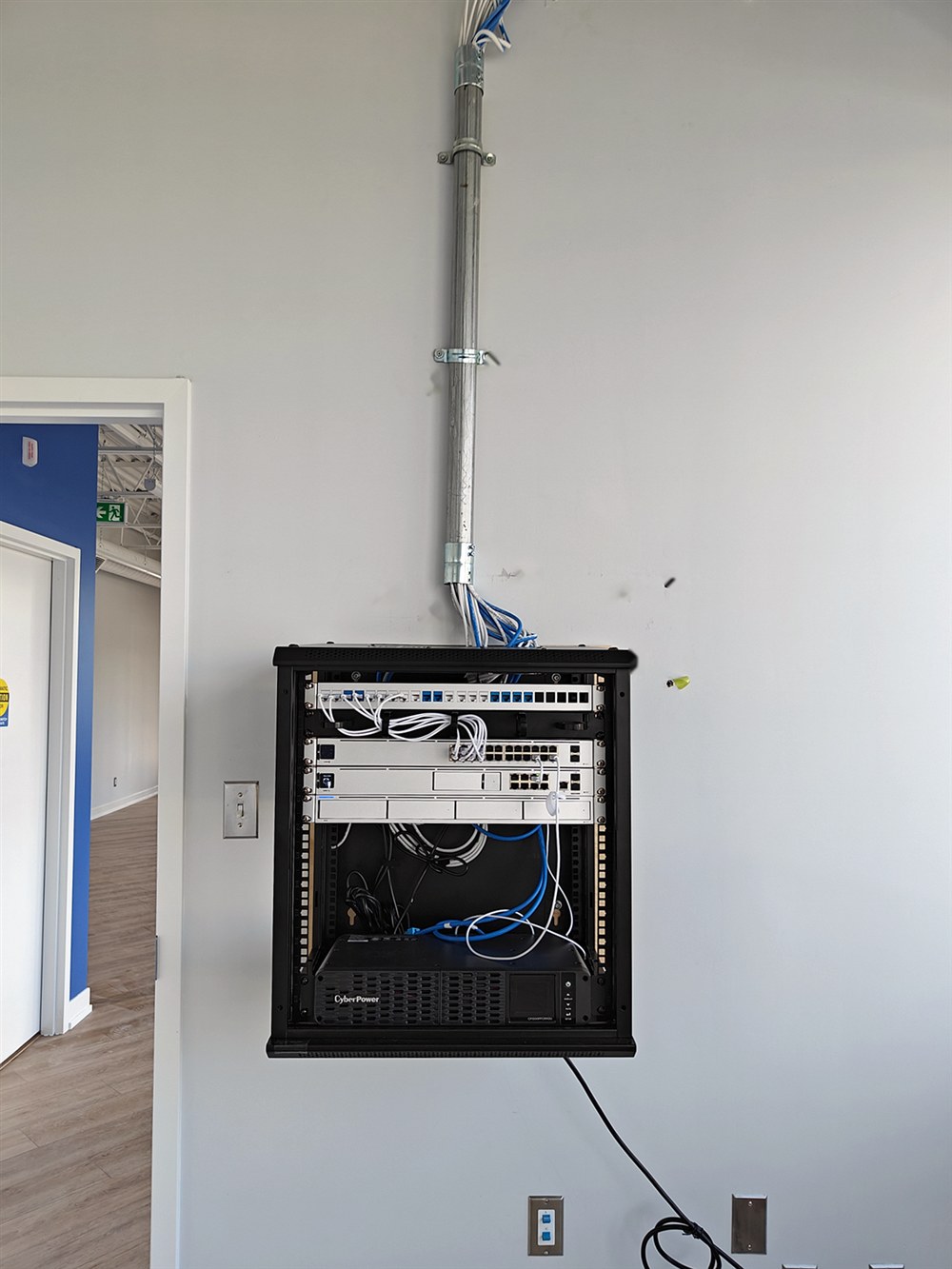
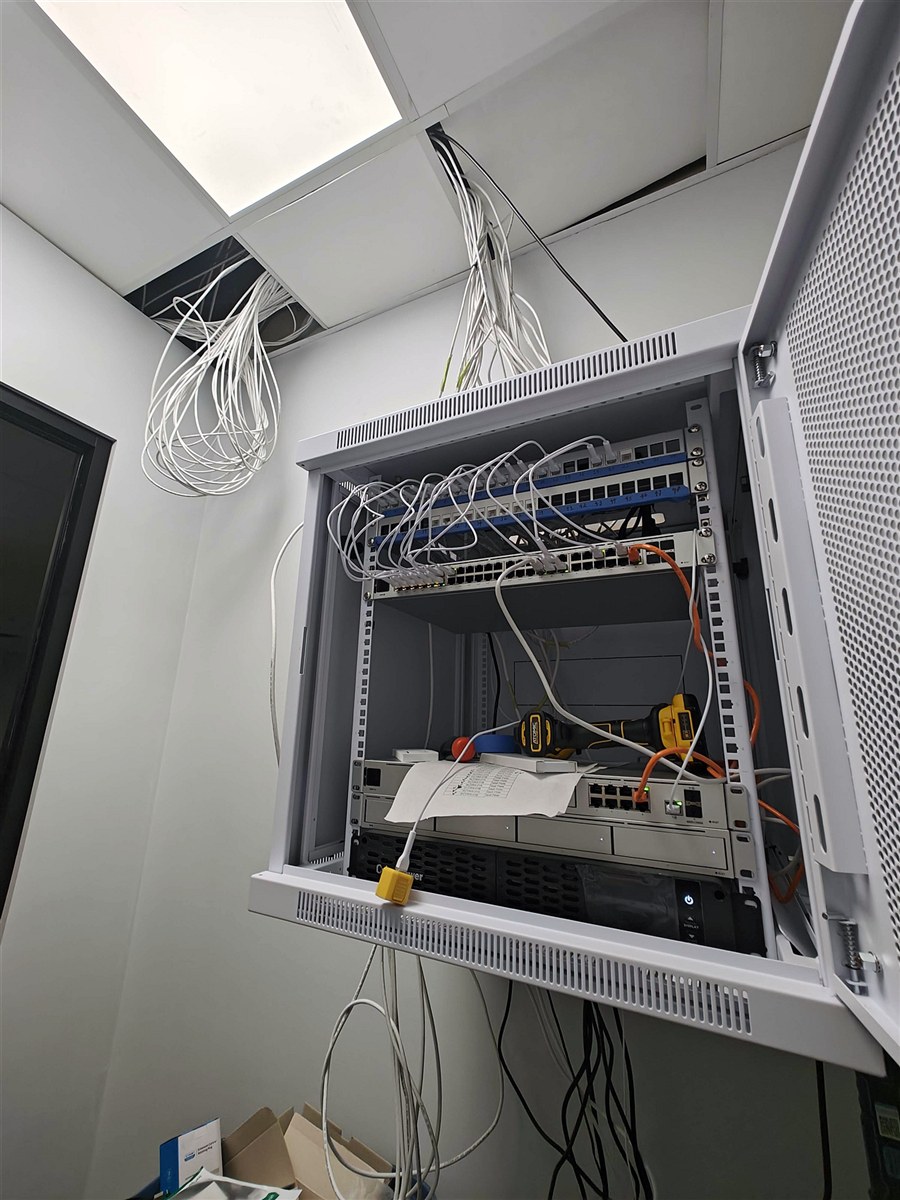
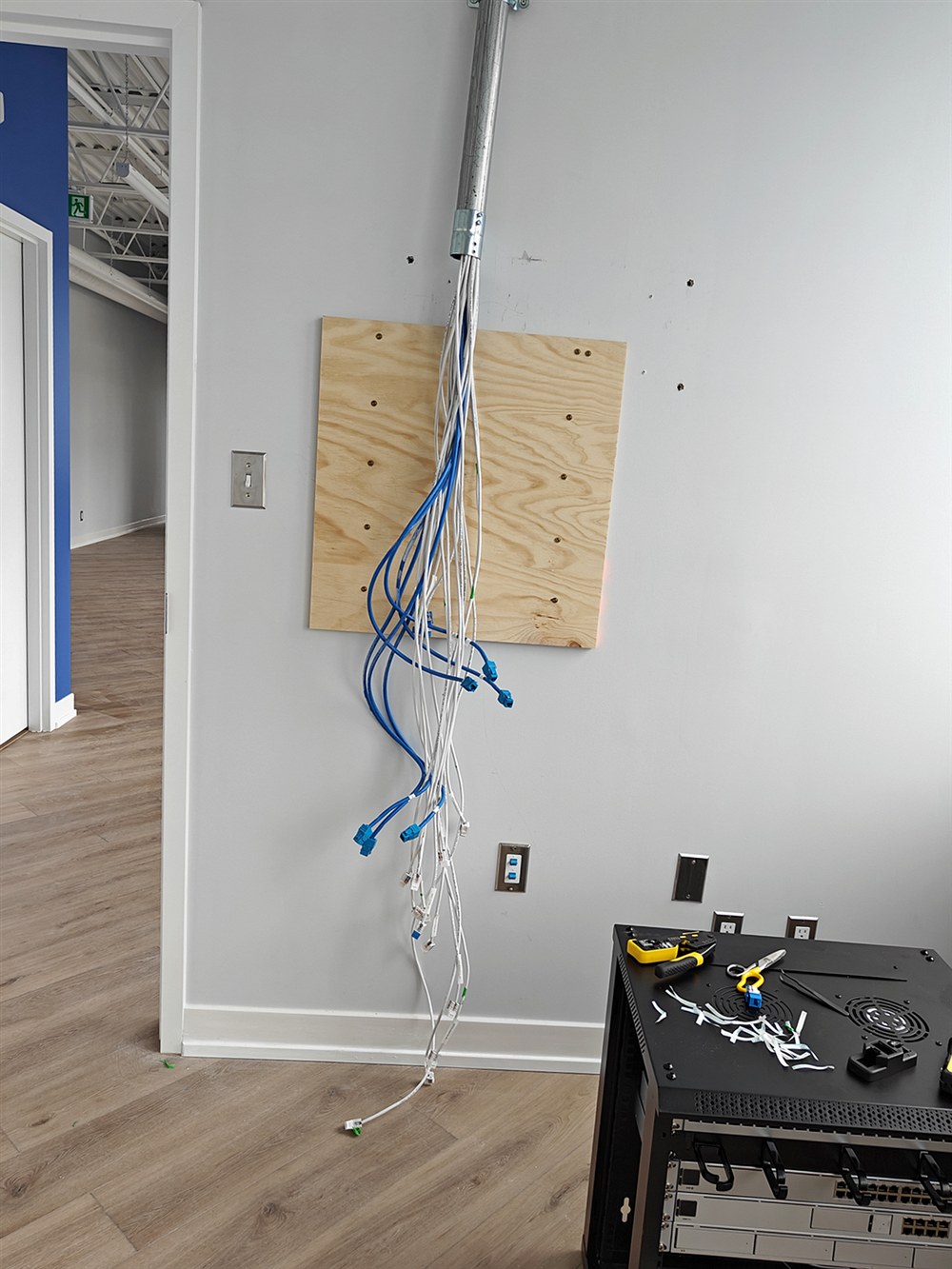
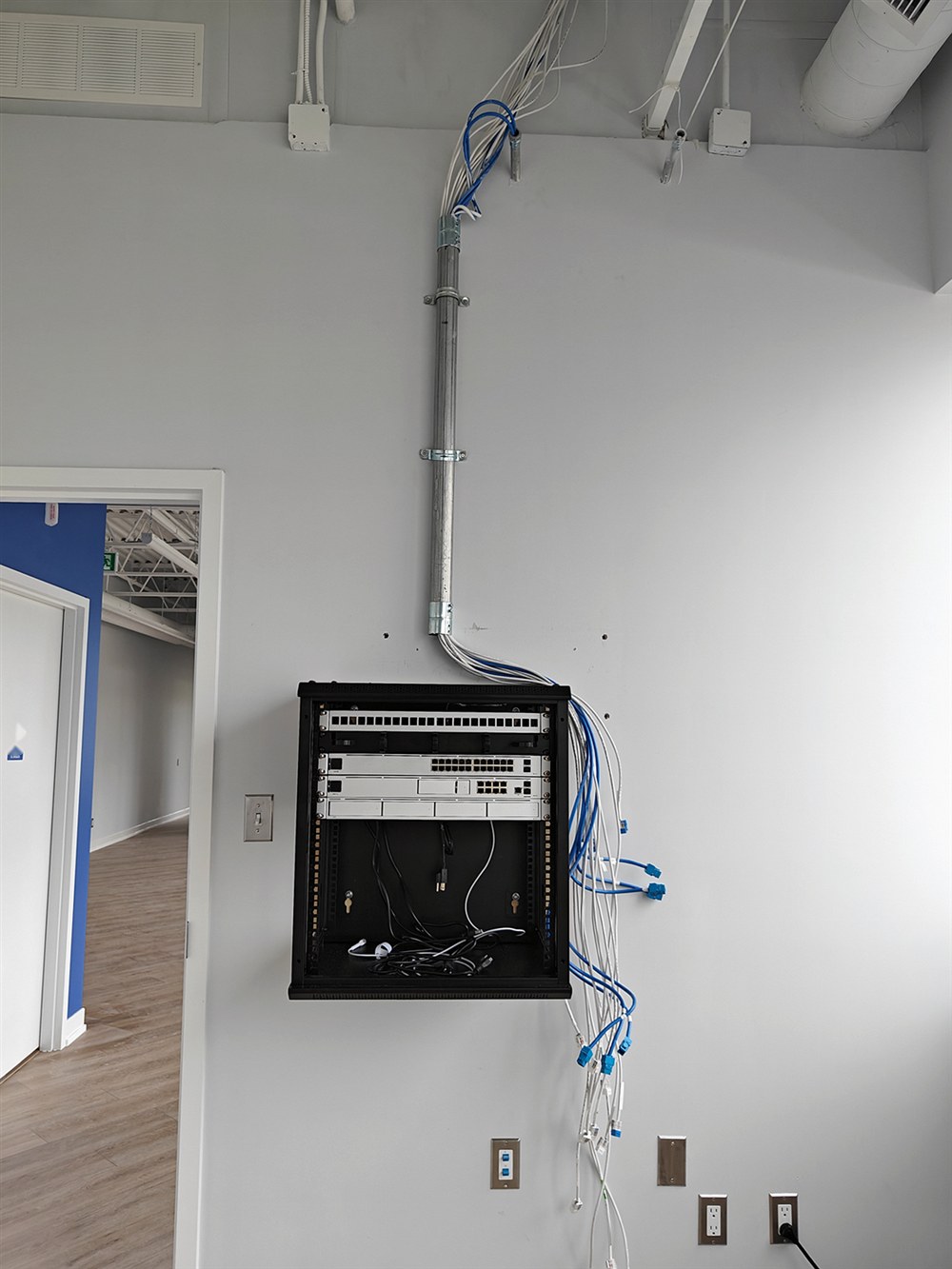
Three photographs of the same wall, taken the same afternoon during an installation we completed for a client.
- Cables run to the wallConduit in place, nothing connected yet.
- Cabinet mountedPatch panel and switches racked.
- Patched and on battery backupCabling connected, with a UPS under the switches.
What every engagement includes
The practices behind the work, the same for one site or ten.
Joiners and leavers
Written steps for every account.
Multi-factor sign-in
On every account.
Conditional Access
Rules for who signs in from where.
Device enrolment
Laptops set up before day one.
Patching and encryption
Enforced on every laptop.
Backup and recovery
Mailbox and file backup, with a written plan.
Secure remote access
VPN for staff and for us.
Written procedures
One set for every site.
Changes in writing
Agreed with you first.
Security rules
A short set that we enforce.
A written plan first, then changes in stages
Every engagement follows the same four steps, whether we run IT for one site or ten.
- Assess30 minutes, then a read-only review
A call about your sites and goals, then a review of your accounts, devices, network and backups. You get a short written summary of what we found.
- PlanWritten, in order, with what each change affects
We write down the changes we propose. Nothing starts until you approve the plan.
- DeliverIn stages, each one tested
We make the changes in stages and test each one before the next, so your clinic keeps working while the project runs.
- RunMon to Fri, 9:00 to 5:00 Eastern
We support your team by email, on site in the GTA or remotely. Joiners, leavers and changes follow the same written steps.
Contact us today
Tell us about your practice and what you need. We reply within one business day, and quote after a 30-minute call.
- [email protected]
- Hours
- Monday to Friday, 9:00 to 5:00 Eastern
- Service area
- Greater Toronto Area, including Markham and Richmond Hill. Remote support across Canada.
More ways we help
Each service has its own section on this page.
Network cabling
Structured cabling pulled, terminated and labelled, with the cabinet racked.
See cabling servicesMicrosoft 365 migration
A staged move from Google Workspace, so mail and files keep working.
See Microsoft 365 servicesZoom Phone
Auto attendants, queues and voicemail, set up once and repeated at each site.
See Zoom Phone services

Data and analytics
Data migration, Databricks and Snowflake platforms, and Power BI reports.
See data servicesData and analytics
We migrate data between systems, build the platform it lands on, and deliver the reports your team uses. A typical project moves years of records from an older system into a cloud warehouse. We move it in stages and compare what arrives with what we sent.
That includes migrations from Databricks to Snowflake. If patient information is involved, we agree how it is handled before we start.
- Data migration
- Moving data between systems and platforms, in stages. This includes Databricks to Snowflake.
- Analytics platforms
- Databricks and Snowflake.
- Reporting
- Reports and dashboards in Power BI.
- Cloud
- Work on Azure.
Our team's certifications
- Snowflake Pro Core CertifiedCloud data warehouse
- Certified Databricks Engineer AssociateData engineering and pipelines
 Microsoft Power BI Data Analyst CertifiedReports and dashboards
Platform logos are trademarks of their owners, shown to name the platforms we work with.
Questions we hear from clinics
What are managed IT services for a clinic?
We run your accounts, computers, network, phones and security under a written plan, so your staff have one place to ask for help and every site follows the same rules.
How much does managed IT cost in Toronto?
We quote after a 30-minute call, because the price depends on the number of sites, staff and devices. You get the quote in writing with the plan.
Do you work on site or remotely?
Both. We work on site across the GTA, including Markham and Richmond Hill, and remotely anywhere in Canada. Hours are Monday to Friday, 9:00 to 5:00 Eastern.
Can you handle systems that hold patient data?
We set up every system on the assumption that it holds personal health information: multi-factor sign-in, encrypted laptops and access by role. We do not need to see patient records, and your privacy officer still owns your policies.
Can you move us from Google Workspace to Microsoft 365?
Yes. We plan the move in stages so mail and files keep working throughout.
Who stays in control of IT decisions?
You do. We write down every change we propose and make it only after you approve the plan.
About HLine
HLine IT Solution Consulting is based in Toronto, Ontario and run by Heywood Lau, who has more than ten years in consulting, over four of them in data and analytics. We support healthcare practices in Toronto, Markham, Richmond Hill and across the GTA on site, and remotely across Canada.
- Based in
- Toronto, Ontario
- Hours
- Monday to Friday, 9:00 to 5:00 Eastern
- [email protected]